
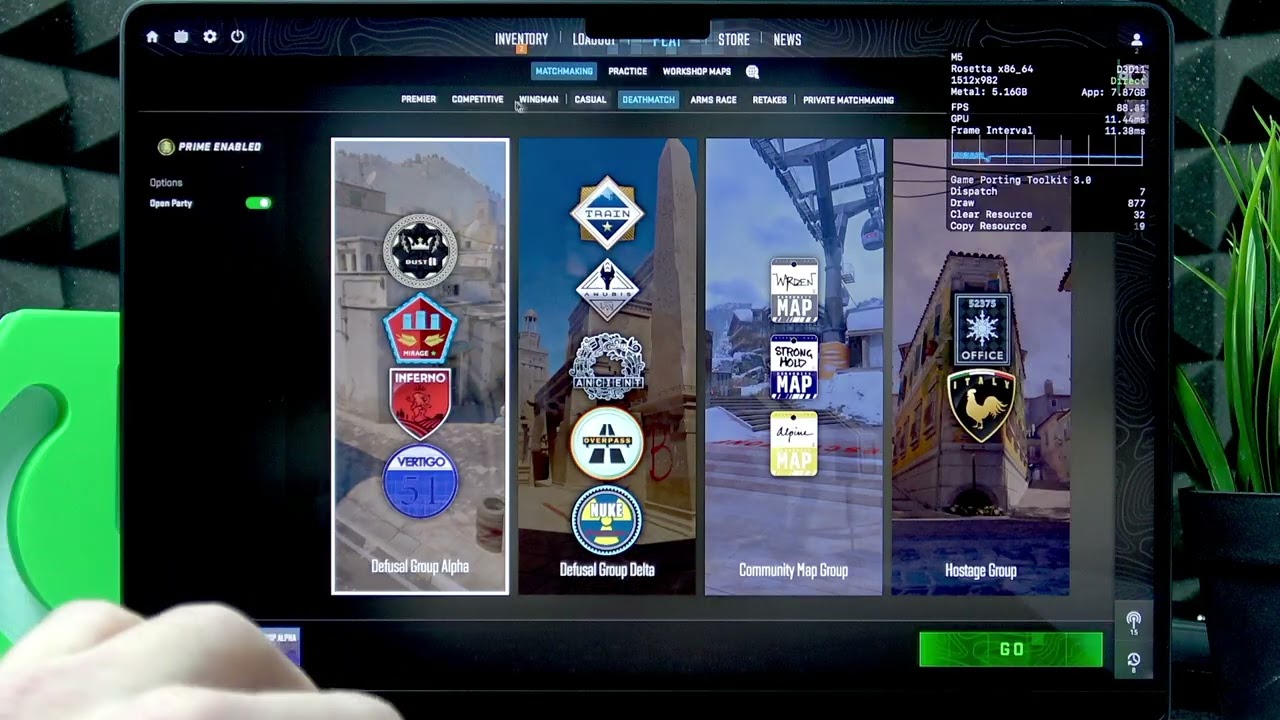
How to Install & Play Counter Strike 2 on MacBook Pro M5 — CS2 Quick Gameplay Test
In this video I show step-by-step how to download, install and run Counter‑Strike 2 (CS2) on a MacBook Pro M5 using Crossover from CodeWeavers. You will learn how to get the Crossover trial, install the Steam bottle, configure graphics (D3D Metal and LSS), sign into Steam, install CS2 and fix common fullscreen or black rectangle issues by editing the cs2 video config. I also run quick performance tests on high, medium and low settings so you can see expected FPS and get the best balance between visuals and smooth gameplay on your MacBook Pro M5. How to install Counter‑Strike 2 on MacBook Pro M5 with Crossover? How to run CS2 on MacBook Pro M5 and fix the fullscreen black rectangle issue? How to optimize graphics settings for CS2 on MacBook Pro M5 (high vs medium vs low)? 0:00 Intro – What we will install and why 0:20 Download and install Crossover (CodeWeavers) 1:40 Launch Crossover and install the Steam bottle 3:50 Configure bottle settings: switch to D3D Metal and enable LSS 5:10 Run Steam, sign in (QR or password) and install CS2 6:45 First launch: check video mode and fullscreen behavior 8:10 Fix fullscreen black rectangle — edit cs2 video.txt (path: ~/Library/Application Support/Crossover/Bottles/Steam/drive_c/Program Files (x86)/Steam/userdata/.../730/local/cfg/cs2_video.txt) 10:10 Adjust graphics presets and quick FPS tests (high, medium, low) 16:30 Conclusion and final tips #MacBookProM5 #CS2 #Crossover #MacGaming Find out more: https://www.hardreset.info/devices/apple/apple-macbook-pro-m5/ Follow us on Instagram ► https://www.instagram.com/hardreset.info Like us on Facebook ► https://www.facebook.com/hardresetinfo/ Tweet us on Twitter ► https://twitter.com/HardResetI Support us on TikTok ► https://www.tiktok.com/@hardreset.info Use Reset Guides for many popular Apps ► https://www.hardreset.info/apps/apps/
آپ کو یہ بھی پسند آ سکتا ہے
Path to Doomsday: The Avengers | New Asymmetric PvP Mode Trailer | Marvel Rivals
Venom Fighting Literally Everyone for 26 Minutes Straight | VENOM 1-2-3
Call me The John Wick of Arc Raiders ..... (JUAN WICK)
Solo Leveling BoxBox
JJ and Mikey: TREASURE BUS BATTLE in Minecraft - Maizen
JJ and Mikey: ELEMENTAL GOLEM BATTLE in Minecraft...
DOTA 2 ABILITY DRAFT - DREAM SHOCK Ball Lightning + Aftershock
DELETE DEVIL DINOSAUR (Marvel Rivals Montage)
Mr Bean in Minecraft
Legends Never Die | Avengers: Infinity War
Advanced Robbery Creator & House Robbery Creator [ESX] [QBCore] [QBOX] [FiveM]
Spiderman - Marvel Rivals Montage 🕸️🕷️
K-Pop Demon Hunters Songs on Cool Instruments!
GRAND THEFT AUTO V WITH BONGO CAT WALKTHROUGH PART 4
Mikey and JJ Opened GOLEM Store - Minecraft Maizen
MARVEL RIVALS x VALORANT | Tay-K - Erupt @Toxic-AMV
BLACK PANTHER IS FINALLY META AGAIN!! | MARVEL RIVALS
Black Panther Montage | Marvel Rivals - Console
Moon Knight Masterclass - Advanced Guide in Marvel Rivals
Hunt or Be Hunted CS2 Montage #counterstrike #cs2
S7.5 Venom is BROKEN!!
cat plays basketball #cat #funny #cartoon
#1 World Marvel Rivals Spider-Man: Full Combat & Movement Guide (2026)
TRANSPORT IMPORTANT! POLITIA INTRA PE FIR! • FIVEM
تبصرے
2 تبصرے