
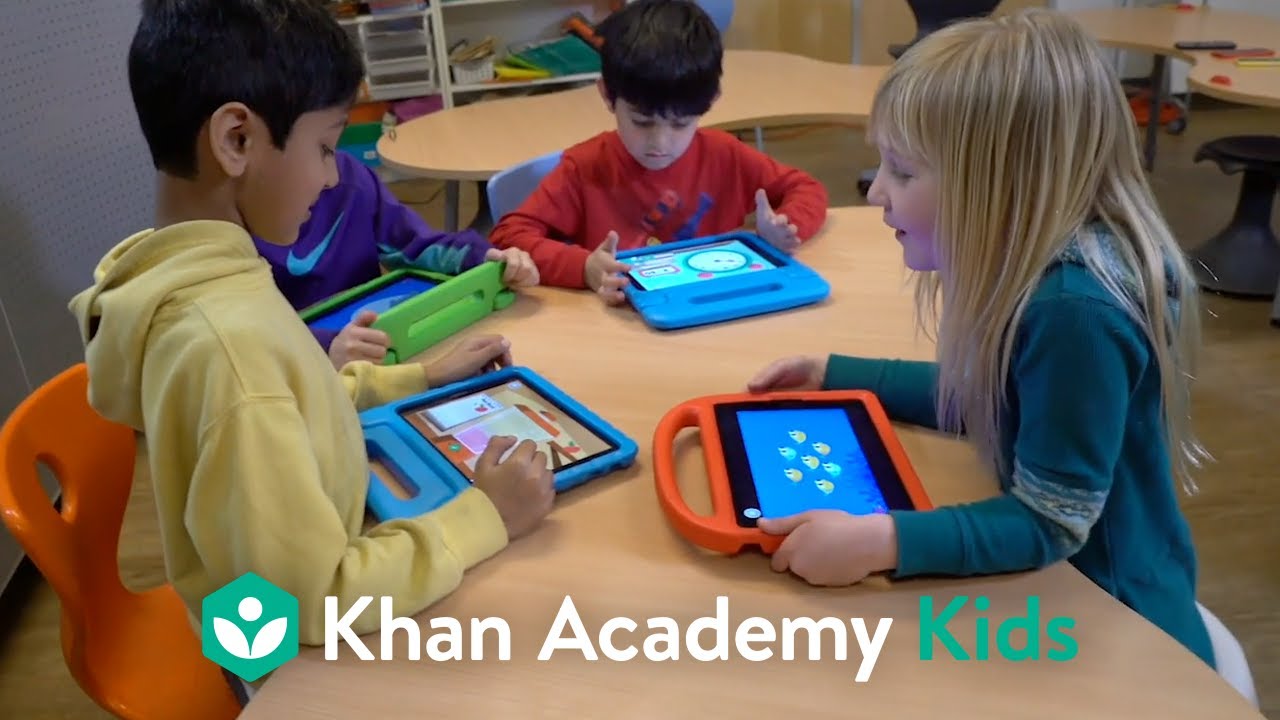
Teachers and educators, are you ready to inspire a lifetime of learning and discovery for your little learners? Khan Academy Kids is an award-winning educational app for kids in Pre-K through 2nd grade. The app has 5 fun characters that keep kids engaged while they learn about early literacy, reading, writing, language, and math. Teachers can direct student learning by searching for lessons by standard, creating assignments, and viewing progress. Learn more about Khan Academy Kids, our free educational app for kids in Pre-K through 2nd grade, at Download now!
قد يعجبك أيضًا
Kids Songs by CoComelon
Primary 1 English
Alphabet (ABC) Songs by CoComelon
CoComelon
CocoMelon | Little Baby Bum | Blippi - Nursery Rhymes & Kids TV Shows
Masha and the Bear 📱 Shorts!
English Fairy Tales @EnglishFairyTales
Masha & the Bear
Family Fun by CoComelon
Baby Learning with CoComelon - Colors, Shapes and Numbers!
Princess Songs and Nursery Rhymes for Babies - CoComelon Kids Songs
Kids Songs & Nursery Rhymes | CoComelon, Blippi & Little Angel
March 2024 KIDS Songs from LooLoo Kids
Yes Yes Songs! CoComelon Nursery Rhymes Mix
Popular Compilations by CoComelon
Mix - Every CoComelon Wheels on the Bus Ever!
Nick Jr. Mindfulness & Mental Health with PAW Patrol and More 💗
Bengali Kids Cartoon Videos
CoComelon Lane! Brand New Netflix Kids Show!
English learning videos for kids - Lingokids
Alphabet ABC Phonics Series (From A to Z) in HD
ABC Songs for Kids - CoComelon Nursery Rhymes
Halloween Songs For Kids - CoComelon
Summer Songs for Babies! CoComelon Summertime
التعليقات
10 تعليق
Make differentiation a breeze with our fun, engaging, and effective app designed specifically for your littlest learners. In this video, teachers and administrators rave about how Khan Academy Kids helps their early elementary students succeed in the classroom. Hooray for Khan Academy Kids! Khan Academy Kids is an award-winning educational app for young learners in PreK-2nd grade. The app engages kids in core subjects like early literacy, reading, writing, language, and math, while encouraging creativity and building social-emotional skills. Learn how students and teachers can reach their goals with Khan Academy Kids in the classroom. Schools and districts can get started here: Available on Apple, Google Play, and Amazon app stores:
Make differentiation a breeze with our fun, engaging, and effective app designed specifically for your littlest learners. In this video, teachers and administrators rave about how Khan Academy Kids helps their early elementary students succeed in the classroom. Hooray for Khan Academy Kids! Khan Academy Kids is an award-winning educational app for young learners in PreK-2nd grade. The app engages kids in core subjects like early literacy, reading, writing, language, and math, while encouraging creativity and building social-emotional skills. Learn how students and teachers can reach their goals with Khan Academy Kids in the classroom. Schools and districts can get started here: Available on Apple, Google Play, and Amazon app stores:
UPDATE April 2024: Khan Academy Kids changed the sign-in process. Click here for updated information: -- Teachers who use Clever can now use Clever single sign-on to access their Khan Kids account. This allows teachers to roster their classes automatically, and it also allows students to sign in with their Clever Badges. When students use Khan Kids with Clever, their progress transfers with them if they move classes, and when they move up a grade. There’s an option to sign in with Clever inside the Khan Kids app, and teachers/students can also sign in from their Clever portal. Make sure the Khan Academy Kids app is downloaded directly to the mobile device from the Apple, Google Play, or Amazon app store. Even if Khan Academy Kids has been added to your Clever Portal, it will need to be downloaded directly on the device as well. To view this information in an article with step-by-step instructions, click here: -- Khan Academy Kids is an award-winning educational app for students in Pre-
UPDATE April 2024: Khan Academy Kids changed the sign-in process. Click here for updated information: -- Teachers who use Clever can now use Clever single sign-on to access their Khan Kids account. This allows teachers to roster their classes automatically, and it also allows students to sign in with their Clever Badges. When students use Khan Kids with Clever, their progress transfers with them if they move classes, and when they move up a grade. There’s an option to sign in with Clever inside the Khan Kids app, and teachers/students can also sign in from their Clever portal. Make sure the Khan Academy Kids app is downloaded directly to the mobile device from the Apple, Google Play, or Amazon app store. Even if Khan Academy Kids has been added to your Clever Portal, it will need to be downloaded directly on the device as well. To view this information in an article with step-by-step instructions, click here: -- Khan Academy Kids is an award-winning educational app for students in Pre-
Make real-time instructional decisions with progress reports for individual students and for the whole class. Progress is shown with colored checkmarks and a percentage score for each lesson, which indicates proficiency toward each skill. Teachers can use Class Reports to see how many students have completed specific assignments, and to view overall progress by skill. You will need a Class Account in the Khan Academy Kids app in order to view student progress. Click here for more information about getting a Class Account: To view this information in an article with step-by-step instructions, click here: -- Khan Academy Kids is an award-winning educational app for students in Pre-K through 2nd grade. The app engages kids in core subjects like early literacy, reading, writing, language, and math, while encouraging creativity and building social-emotional skills. Learn more about Khan Academy Kids, our free educational app for students in Pre-K through 2nd grade, at Available on Apple, Go
Make real-time instructional decisions with progress reports for individual students and for the whole class. Progress is shown with colored checkmarks and a percentage score for each lesson, which indicates proficiency toward each skill. Teachers can use Class Reports to see how many students have completed specific assignments, and to view overall progress by skill. You will need a Class Account in the Khan Academy Kids app in order to view student progress. Click here for more information about getting a Class Account: To view this information in an article with step-by-step instructions, click here: -- Khan Academy Kids is an award-winning educational app for students in Pre-K through 2nd grade. The app engages kids in core subjects like early literacy, reading, writing, language, and math, while encouraging creativity and building social-emotional skills. Learn more about Khan Academy Kids, our free educational app for students in Pre-K through 2nd grade, at Available on Apple, Go
Teachers can assign lessons to individual students, small groups, or the whole class with the Khan Academy Kids app. This video explains how to access the teacher view to search for lessons to assign to students. The “Assignments” tab and Class Report show a history of assignments, along with student scores for each one. You will need a Class Account in the Khan Academy Kids app in order to assign lessons. Click here for more information about getting a Class Account: To view this information in an article with step-by-step instructions, click here: -- Khan Academy Kids is an award-winning educational app for students in Pre-K through 2nd grade. The app engages kids in core subjects like early literacy, reading, writing, language, and math, while encouraging creativity and building social-emotional skills. Learn more about Khan Academy Kids, our free educational app for students in Pre-K through 2nd grade, at Available on Apple, Google Play, and Amazon app stores: Questions? Reach our
Teachers can assign lessons to individual students, small groups, or the whole class with the Khan Academy Kids app. This video explains how to access the teacher view to search for lessons to assign to students. The “Assignments” tab and Class Report show a history of assignments, along with student scores for each one. You will need a Class Account in the Khan Academy Kids app in order to assign lessons. Click here for more information about getting a Class Account: To view this information in an article with step-by-step instructions, click here: -- Khan Academy Kids is an award-winning educational app for students in Pre-K through 2nd grade. The app engages kids in core subjects like early literacy, reading, writing, language, and math, while encouraging creativity and building social-emotional skills. Learn more about Khan Academy Kids, our free educational app for students in Pre-K through 2nd grade, at Available on Apple, Google Play, and Amazon app stores: Questions? Reach our
UPDATE April 2024: Khan Academy Kids changed the sign-in process. Click here for updated information: -- You will need a Class Account in the Khan Academy Kids app in order to use Class Codes. Click here for more information about getting a Class Account: Once you set up a Class Account in the Khan Academy Kids app, students can join your Class Account by typing or scanning your Class Code. This video will show you how to find your Class Code and share it with students and families. It also shows the steps that students and families will use to sign in with your Class Code. To view this information in an article with step-by-step instructions, click here: -- Khan Academy Kids is an award-winning educational app for students in Pre-K through 2nd grade. The app engages kids in core subjects like early literacy, reading, writing, language, and math, while encouraging creativity and building social-emotional skills. Learn more about Khan Academy Kids, our free educational app for students
UPDATE April 2024: Khan Academy Kids changed the sign-in process. Click here for updated information: -- You will need a Class Account in the Khan Academy Kids app in order to use Class Codes. Click here for more information about getting a Class Account: Once you set up a Class Account in the Khan Academy Kids app, students can join your Class Account by typing or scanning your Class Code. This video will show you how to find your Class Code and share it with students and families. It also shows the steps that students and families will use to sign in with your Class Code. To view this information in an article with step-by-step instructions, click here: -- Khan Academy Kids is an award-winning educational app for students in Pre-K through 2nd grade. The app engages kids in core subjects like early literacy, reading, writing, language, and math, while encouraging creativity and building social-emotional skills. Learn more about Khan Academy Kids, our free educational app for students